See the Windows security gaps that matter first.
DSRS helps you scan a Windows device locally, get a readable posture report, and focus on the fixes that actually reduce risk instead of drowning in noisy output.
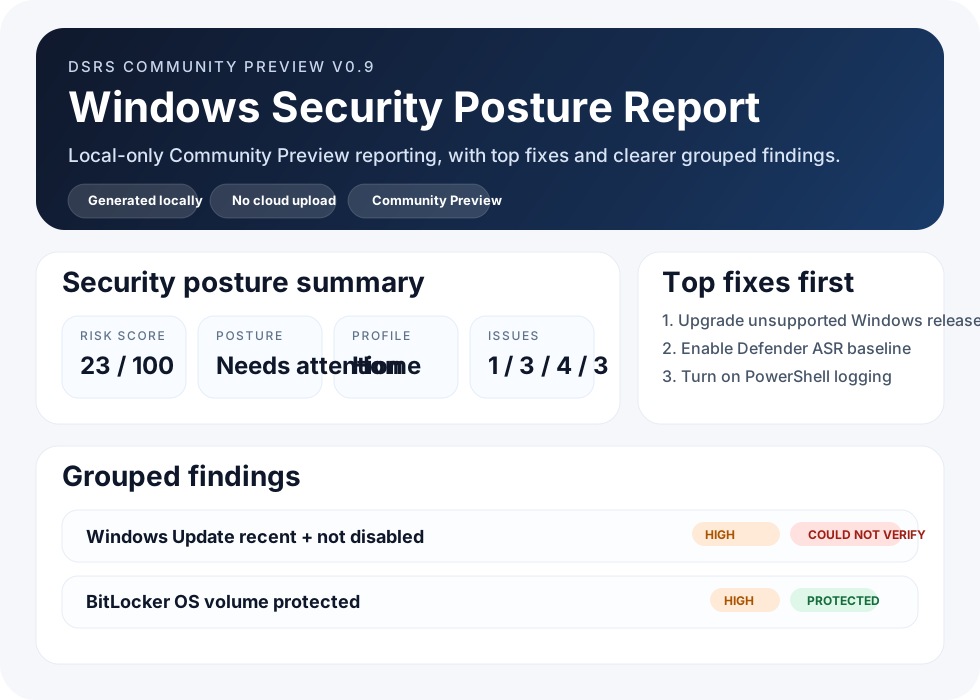
Why DSRS exists
Too many security tools dump findings and expect you to figure out what matters. DSRS is built to make Windows posture easier to understand, easier to explain, and easier to act on.
The Community Preview flow runs locally and generates the report on the device itself.
Readable findings, grouped results, top fixes first, and cleaner wording that feels like a product, not a debug log.
Built around Windows security posture, hardening, and practical risk reduction for real environments.
Fast local scan now. Deeper reporting and more commercial workflow later.
At a glance
What the report helps you answer
What is the current security posture?
See a clear score, posture summary, and issue counts instead of guessing from raw state output.
Which fixes matter first?
Prioritize the top actions that improve posture fastest instead of treating every finding equally.
What exactly was found?
Read cleaner descriptions in the main report and expand technical evidence only when you need it.
Can I trust the report?
Community Preview emphasizes local generation, report transparency, and visible scan context.
Built for people who need clarity fast
Windows security teams
Use DSRS to surface posture gaps and explain remediation priorities faster.
IT and sysadmin teams
Get a cleaner view of the controls that matter without digging through fragmented status outputs.
Consultants and MSPs
Start with a report that is easier to present, easier to discuss, and easier to turn into action.
Send a message and request early access to the current Windows posture scanner and report flow.